
Make any window transparent.
TransWin helps set transparency for windows.
Unlike Windows Aero, it can set transparency to the whole client area of any window. It can also set transparency to task bar, start menu, popup menu etc.
The transparency ratio is controllable, and it supports filters to let you control the transparency for individual programs and windows.
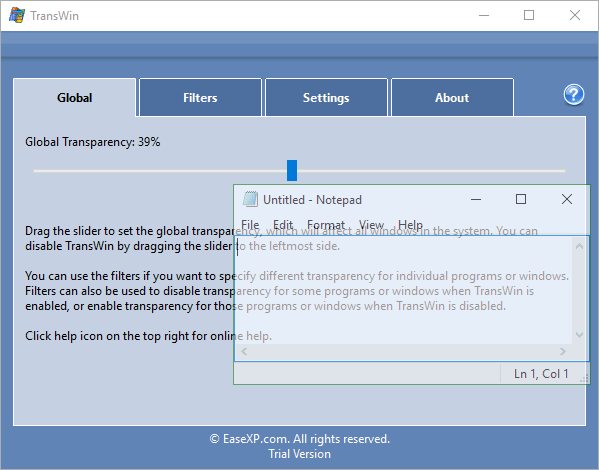
Some programs provide the feature of using transparency on their windows, but most of them don't. Now with TransWin, you can make any window transparent, including the system start menu, task bar, web browsers, etc.
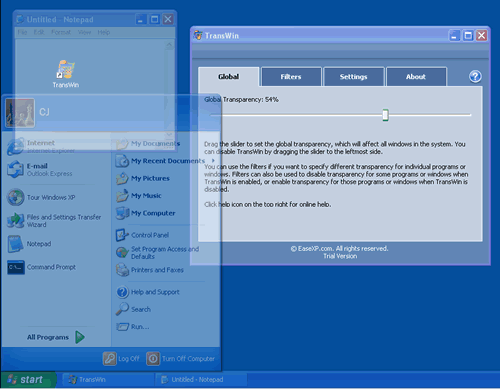
You can change the transparency value freely by dragging the slider bar on the main window of TransWin, to choose a comfortable transparency ratio that will not disturb your work but is still cool. If you drag the slider bar to the leftmost, the transparency can be disabled.
The windows will barely be seen if you use the maximal transparency value by dragging the slider bar to the rightmost.
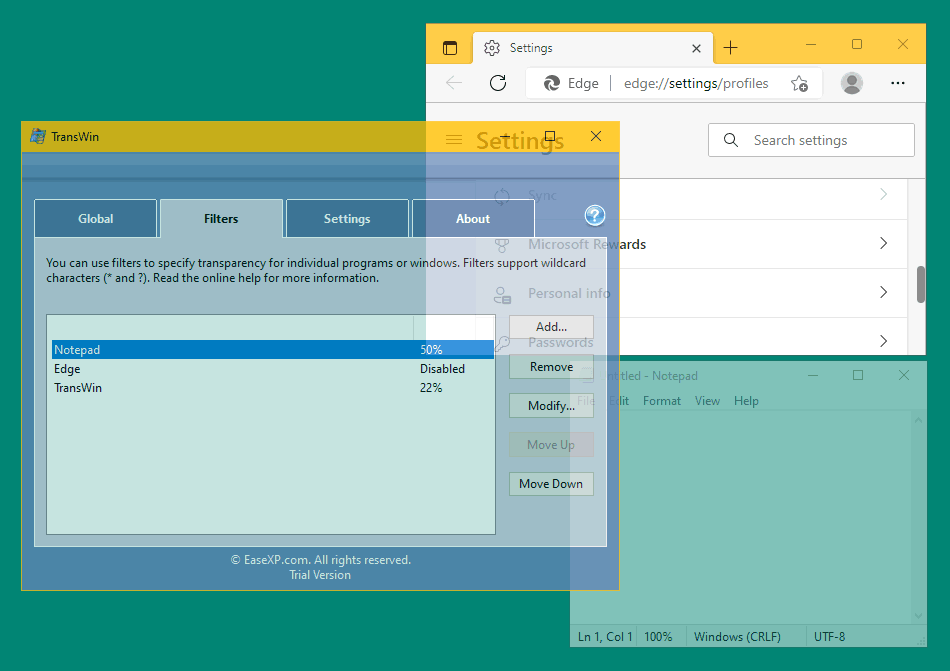
The slider bar in the Global page controls global transparency, which affects all windows in the system. TransWin also provides Filters feature to let you control transparency for individual programs and windows.
By using the Filters feature, you can:
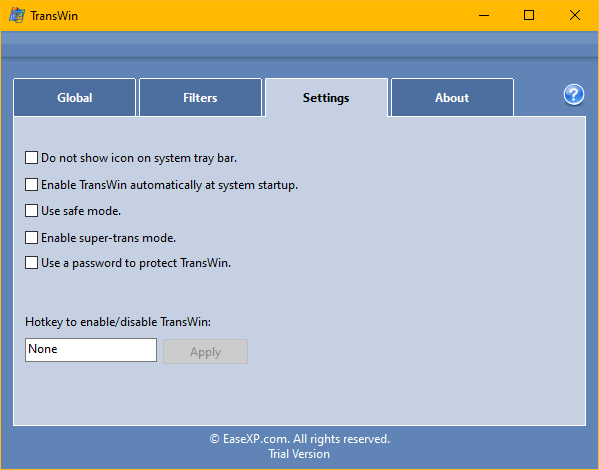
You can set a hotkey to be used to enable/disable transparency for all windows temporarily.
You can set a password to protect TransWin, so that none can use it or change the configuration without the password.
By enabling this option, TransWin can be launched and activate transparency automatically after the computer booted and you logged in to your desktop.
Need more information? See TransWin Online Help.
We offer a fully functional evaluation copy for everyone to try this software for free. You can download and try it before you decide to purchase this software.
TransWin is not freeware. Please purchase a license to support us if you enjoy it.
Buy Now